Most people check the same things every morning: a few companies, a regulator, a central bank, a beat. An AI agent can do that check for you, if it knows exactly what to watch and where the new items come from.
On Synorb, that saved watch is called a Beacon. You describe what you follow once. Your agent runs the Beacon on its own schedule and reads only what is new, with each item linked to its original source.
What a Beacon is
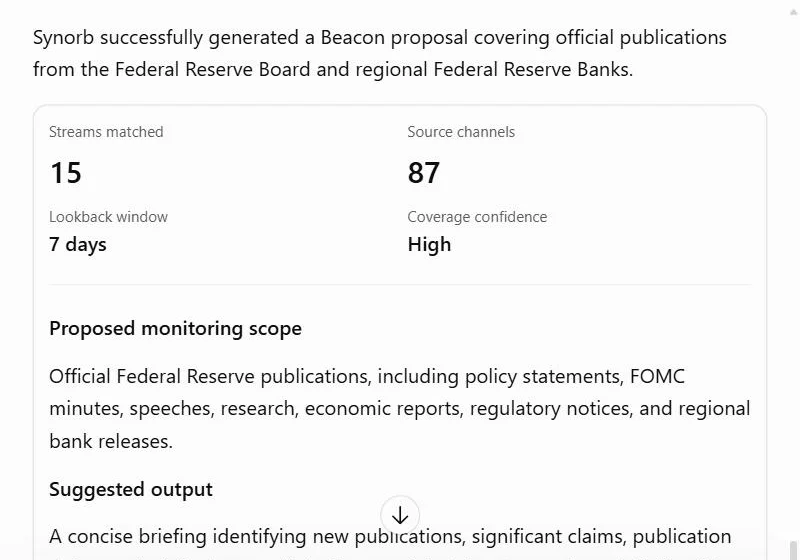
A Beacon is a saved standing question: which Streams or sources to watch, which topics matter, and how far back to look. A Stream follows one organization across its real sources: its newsroom, blog, filings and podcast.
Two things to know:
- Synorb never pushes. Your agent pulls the Beacon when it wants to, every morning, every hour or on demand.
- Nothing is saved without your yes. Your agent proposes a Beacon first. It saves it only after you agree.
Step 1: Connect your agent to Synorb
Get a free Synorb Key at synorb.com/connect/start, or let your agent get its own demo key. Then add the Synorb MCP server, https://mcp.synorb.com/mcp, to your agent with the key in the Authorization header.
Every new account already has three starter Beacons: AI Companies, Business & Technology Podcasts, and Central Banks. You can use those straight away.
Step 2: Tell your agent what you follow
Be specific. Name the companies, the publishers or the kind of document. For example:
Your agent finds the Streams that cover what you asked for and drafts a proposal: a name, the Streams it will watch and the lookback window. A vague request such as "track important news" comes back with questions instead of a proposal, by design.
Step 3: Check it, then say yes
Before saving, your agent can count what the Beacon would have returned over the last few days. The count is free. If the numbers look right, say yes and your agent saves the Beacon to your account.
Step 4: Make it a morning routine
Ask your agent to run the Beacon every morning and send you what's new:
Each run returns Manifests: a short summary for you, the claims for your agent, and a link to the original source. Your agent keeps track of what it has already sent, so you only see new items.
Good Beacons to start with
- The five companies you invest in or compete with, including their SEC filings
- Central bank speeches and policy statements
- AI model releases from the labs you use
- A regulator's new rules and enforcement actions
Beacons are on every plan; the number you can save depends on the plan. Running a Beacon reads Manifests, which counts against your plan's monthly allowance.
- Technical walkthrough for agents: Build and save a Beacon
- Get a key: synorb.com/connect/start