If you use the ChatGPT desktop app, you can add Synorb as a custom MCP server and then ask ChatGPT for hedge fund Streams, central bank speeches, or SEC filings in plain English. It takes about three minutes and needs one thing: your MCP URL.
Before you start
- A Synorb account. The free Starter plan is enough.
- The ChatGPT desktop app. On a work account, your organization may need to allow custom MCP servers. See the note at the end.
Step 1: Find your MCP URL in your welcome email
When you signed up, Synorb emailed you your Synorb Key and two MCP URLs. Search your inbox for the welcome email from Synorb and copy the MCP URL (Core). It ends in ?token= followed by your key.
The URL includes your key, so treat it like a password. Do not paste it into a chat or share it in a screenshot.
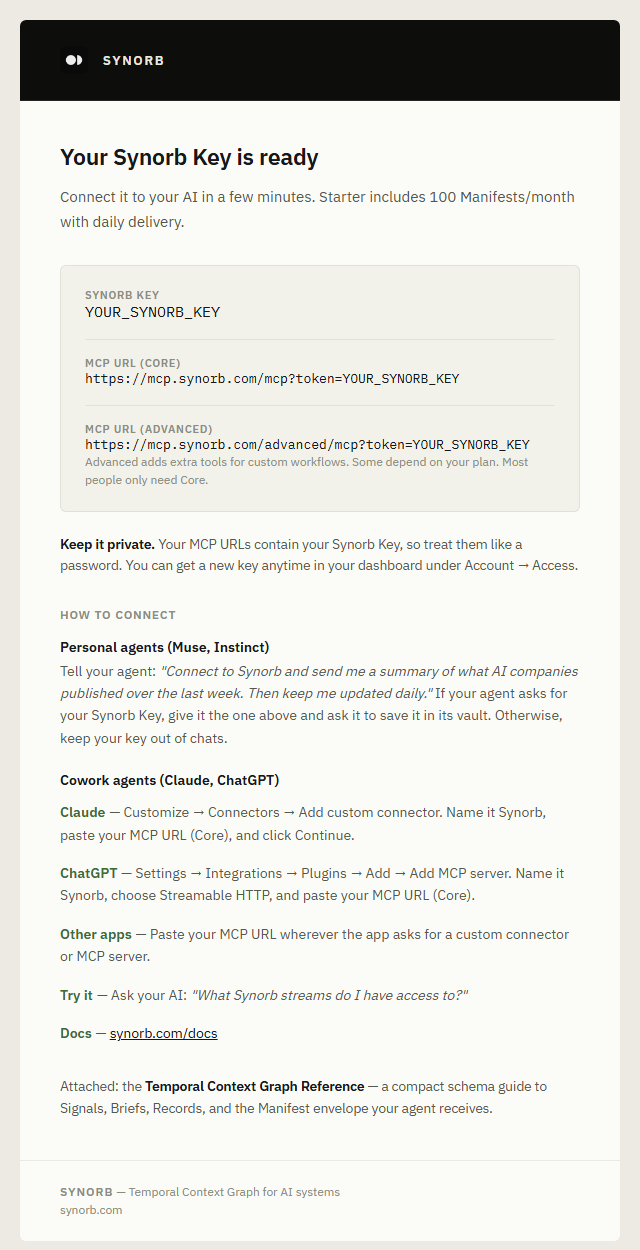
Can't find the email?
Log in at synorb.com, open Account → Access, and choose Revoke & Issue New Key. Then copy the new URL.
Heads up: issuing a new key immediately revokes your old one. If you already connected an agent with the old key, update it with the new one.
Step 2: Add an MCP server in ChatGPT
In ChatGPT, open Settings → Integrations → Plugins. Click Add, then Add MCP server.

Step 3: Name it and paste the URL
Under Name, enter Synorb. Set Type to Streamable HTTP. Paste your MCP URL (Core) into URL. Leave the bearer token and header fields empty, because your key is already in the URL. Then save.
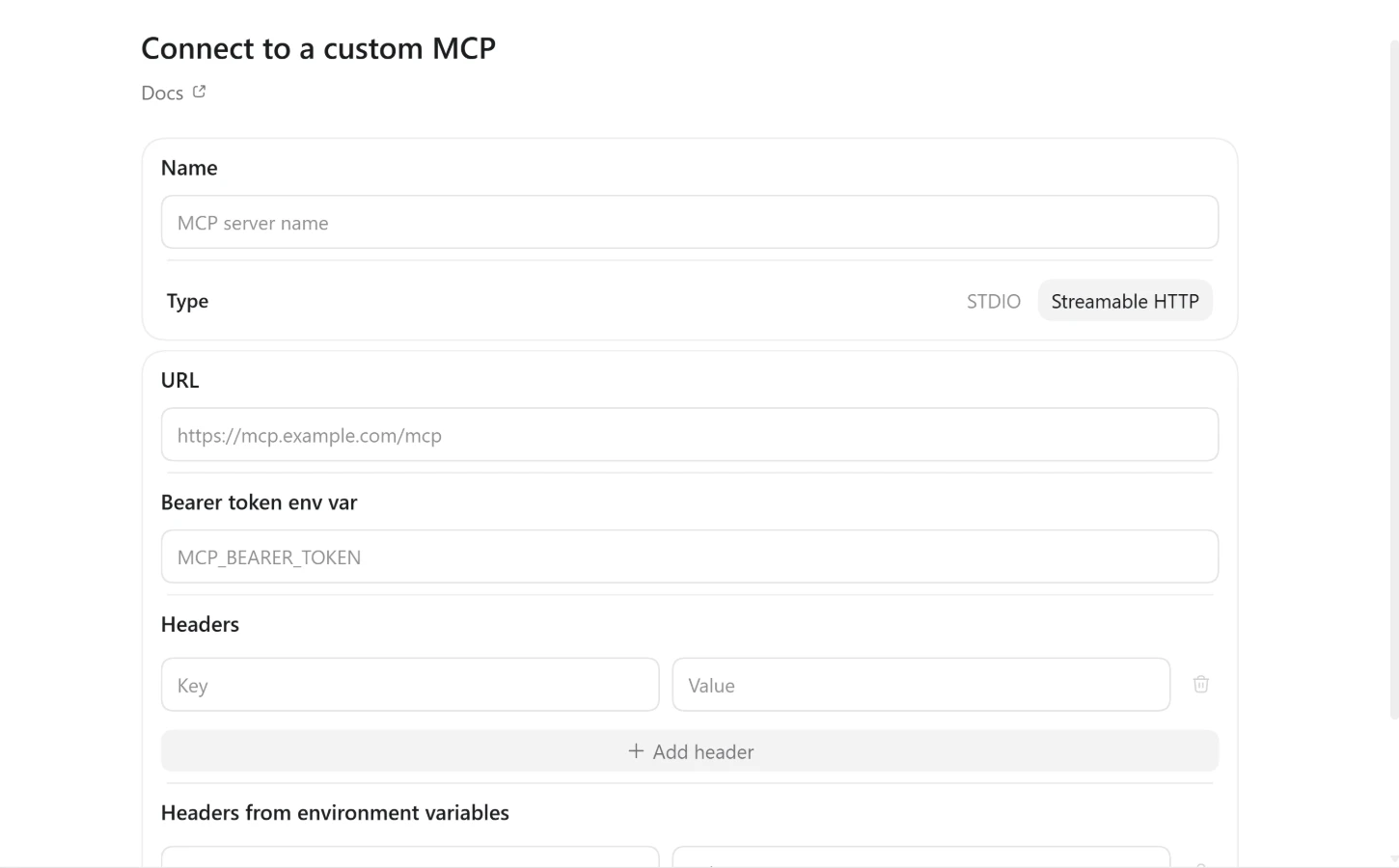
Step 4: Ask a question
Start a new chat and try:
List all hedge fund Streams I have access to, then pull the last 7 days of Manifests from them.
ChatGPT will list the matching Streams and pull Manifests over any time frame you name. Every Manifest links back to its source.
If it doesn't work
- Work account. Your organization may not allow custom MCP servers. Ask your admin, or try a personal ChatGPT account.
- Strict corporate network. Your network must allow
mcp.synorb.comandapi.synorb.comon port 443. If it does not, ask IT, or connect from a different network. - No MCP at all. The same Synorb Key works with the REST API at
api.synorb.com. See the API docs.
Using Claude instead? See How to connect Claude Cowork to Synorb. Next: read the MCP documentation or get a Synorb Key.